Finding your OpenMoves API Key
Below are the instuctions to locate and set up your OpenMoves API key to complete your integration.
1 - Log in to your OpenMoves Account
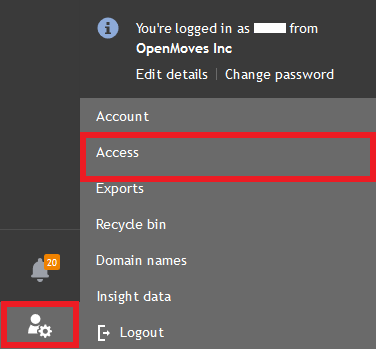
2 - Click the settings button on the bottom left corner of your screen and select "Access".
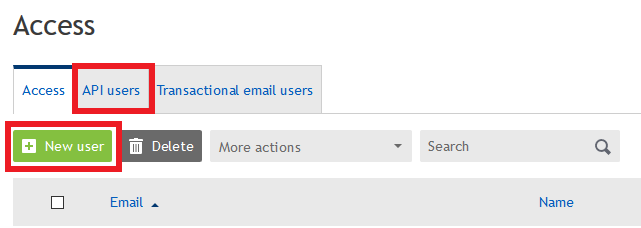
3 - Click the "API Users Tab, and then select "New user".
4 - On the Manage users screen fill out the password and description field and click save. Make note of your API key. You will need this to complete your registration.
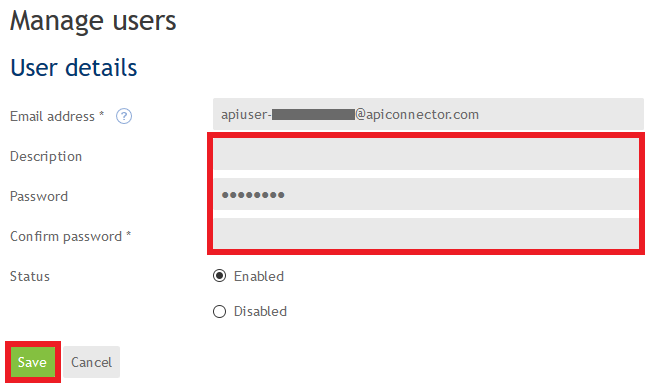
Email Address: This is your API key.
Description: This field is optional and only used to help you recognize what the API key for.
Password: Please enter a password and confirm it. This password is necessary for using your API key.
Status: This is set to enabled by default. It must remain enabled for your PipeDrive Integration to work.
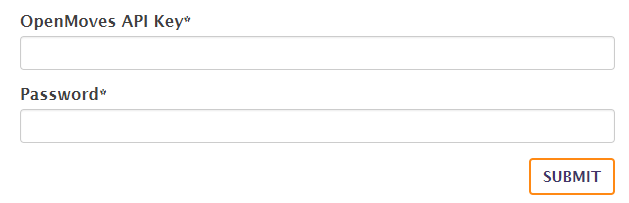
5 - Return to the integration setup screen. Enter your API key and password into the form and click "Submit".